Pay by Phone Bill at UK Casinos: How It Works
 Available in GB
Payforit lets some casinos accept deposits through a mobile number, but availability, costs and the route for withdrawals are important to check.

Table of Contents
- Can You Use a Phone Bill to Pay at a Mobile Casino?
- What a Phone-Bill Casino Deposit Actually Costs You
- The Catch: Deposits by Phone, Withdrawals Another Way
- How to Check Whether a Casino Accepts Phone-Bill Payments
- Playing Mobile Slots with a Phone-Bill Deposit
- Phone-Bill Payments Versus Other Ways to Deposit
- Does Your Mobile Network Support the Payment?
- Before You Deposit, Check the Cashier and Your Payout Route
- Phone-Bill Funds Are for Your Casino Balance, Not a Particular Slot
- Topping Up by Phone Bill: Check the Cap First
Can You Use a Phone Bill to Pay at a Mobile Casino?
Yes, some online casinos let you pay by phone through Payforit, a method generally intended for people using a mobile device. It is not a standard option you should expect to see on every casino account, and it is not the same as paying for a game through your phone’s app store. You choose it in the casino’s cashier when it is offered, then confirm the payment using your mobile number.
That mobile-only feel is the first thing to understand. If you are browsing on a laptop, Payforit may not appear as a usable choice, even if the casino supports it for mobile players. A phone browser is the more natural place to look. I used to think “pay by phone” meant any payment connected to my handset; in practice, Payforit is a particular checkout route with a confirmation step.
The basic process is straightforward. After signing in, open the cashier or deposit area and select Payforit if it is listed. The casino then asks for the mobile number you want to use. Enter it carefully: a mistyped digit can send the confirmation request to the wrong number or stop you from completing the payment.
Next, you receive a text message containing a confirmation code. Enter that code in the requested field and submit it to authorise the transaction. The casino can then process the deposit. The important point is that entering a number alone does not finish the payment; you need to receive and submit the SMS code as part of the flow.
Keep the phone you entered close by while completing the steps. If the text does not arrive, do not keep guessing at codes or repeatedly starting new attempts. Check that the number is correct and that the phone can receive messages, then follow the instructions shown on the screen. If the cashier gives you no clear next step, stop and contact the operator rather than treating an incomplete payment as successful.

Payforit is best thought of as a mobile checkout option, not a general-purpose way to pay from any device. A mobile casino may let you play in a browser or app, but the payment route still depends on what the cashier offers for your account. Seeing a Payforit logo in an article or on an old page does not prove it is available when you are ready to deposit. The live payment screen is what matters.
This is also why searches for a phone-bill casino linked to a particular network can be misleading. The casino’s cashier has to offer Payforit, and the payment itself uses the mobile number you enter. A network name in a search does not, by itself, confirm that a specific casino will accept the transaction. Check the actual option in the account rather than assuming your phone provider guarantees acceptance.
A common point of confusion is the phrase “mobile bill deposit”. It describes how the payment is authorised and associated with your mobile service; it does not mean the casino is charging a slot or game directly. You are using the payment route shown in the cashier to make a casino deposit. What happens after that belongs to the casino account, not to the individual game you might choose to play.
There is a small but useful distinction between being on a phone and paying through a phone. You can browse a casino on a mobile and still use a different payment method. Conversely, Payforit is generally reserved for mobile players, so trying to complete it from a desktop may not work as expected. Device and method go together here.
When the option is present, the steps are easy to recognise: choose Payforit, enter your mobile number, receive a text with a code, then submit that code. Read each screen before confirming. I have learned not to tap through a payment just because the button looks familiar. A moment spent checking the number and the confirmation details is better than wondering whether the attempt went through.
If Payforit is not shown, do not assume there is a hidden mobile-bill setting or that changing devices will make it appear. Use only the payment choices presented in the current cashier. That keeps the process clear: the casino displays the method, you provide the mobile number, and the SMS code confirms your request. No mystery.
Payforit Deposit Process
Open the casino cashier or deposit area and select Payforit from the available options.
Provide the mobile number you wish to use for the transaction.
Receive a text message with a confirmation code, enter it into the requested field, and submit to authorise the deposit.
What a Phone-Bill Casino Deposit Actually Costs You
A Payforit deposit does not come out of a bank account in the same way as a debit-card payment. The charge is attached to your mobile service: on a monthly contract, it is added to a future phone bill; on pay as you go, it is taken from your prepaid credit. That changes where the cost appears, not what it means for your budget. The money is still spent.
I find it helps to think of the deposit as part of the cost of using the phone, rather than as a separate casino transaction that will somehow disappear into the app. If you have a contract, the amount may not be visible in your bank balance straight away. It can turn up alongside your normal mobile charges when the bill arrives. With pay as you go, the effect is more immediate: your available credit is reduced by the deposit.
That distinction matters. A contract can make a small payment feel less noticeable because it is settled later. Prepaid credit makes the deduction easier to see, but it also means you need enough credit available before paying. Either way, the charge does not become free just because it is collected through your phone account. It is spending. Easy to overlook.
What deposit amounts can you expect?
A specialist review describes Payforit casino deposits as having a minimum in the £3–£5 range, with a maximum of £30. Treat that as a guide to the amounts described in that review, not a promise about every casino’s current cashier. The minimum and the options actually offered to you can depend on the operator and the payment screen in front of you.

The £30 figure has a separate significance: the Phone-paid Services Authority caps Payforit deposits at £30 per transaction. In practical terms, that is a ceiling for one transaction, not an invitation to assume that every cashier will let you deposit that amount. The operator may set a lower maximum, and the cashier may show a different minimum or available set of amounts. Check the amount displayed before confirming anything.
That cap also means a pay-by-phone deposit is not a route around a transaction limit. If the amount you want to add is above the permitted single-transaction ceiling, do not try to treat the payment method as a way to bypass it. The figure to keep in mind is £30 per Payforit transaction.
The cost on a contract phone
With a monthly contract, a casino deposit is added to a future phone bill. The charge is therefore easy to miss if you only look at your bank balance immediately after making it. When the bill comes, it is part of the total you owe for that billing period. It can be tempting to treat it as a small extra because it is bundled with the rest of the phone account. I would not. It is still a casino payment, and it still needs to fit the amount you have decided you can spend.
If you are checking a bill later, look for the phone-paid charge rather than expecting the casino deposit to appear as a normal card transaction. The exact way an item is labelled can depend on the account and billing information, so do not rely on one wording being used everywhere. Keep a note of the amount you authorised if you want to compare it with the charge that appears.
Transaction Limit
The Phone-paid Services Authority caps Payforit deposits at £30 per transaction.
A contract does not change the £30 per-transaction ceiling. Nor does putting the payment on a later bill make a larger deposit allowable. The limit applies to the transaction itself, while the bill is simply how the charge is collected from you.
The cost on pay as you go
On pay as you go, the deposit comes out of your prepaid credit. You need enough credit to cover the amount you are trying to pay; otherwise, the available balance will not cover that charge. Unlike a contract bill, the deduction is reflected in the credit you have left to use.
That can make budgeting more visible, but it is still worth checking your balance before you start. Do not confuse the amount you intend to deposit with the credit you have available. If the cashier presents an amount, make sure the phone account can cover it before you confirm.
The useful comparison is not “bill or no bill”. It is whether you would rather see the charge added to a future phone bill or deducted from prepaid credit. Both routes spend money from your mobile account, and both remain subject to the cashier’s offered amount and the £30 per-transaction cap.
Before confirming, pause on the amount shown. Check that it is the amount you meant to pay, and remember where it will appear afterwards: on a future contract bill or against your pay-as-you-go credit. That small check is less exciting than tapping confirm. It is also the part that keeps the cost clear.
The Catch: Deposits by Phone, Withdrawals Another Way
Payforit is a way to put money into a casino account, not a route for taking money back out. That distinction matters once you stop thinking about the deposit itself and start thinking about what happens to the balance later. If you win, or simply decide to withdraw what remains, you cannot send the casino funds back through Payforit.
I used to read a payment option as if it worked both ways. It doesn’t. A phone-bill deposit can leave you with a casino balance that needs a separate payout method, so check what your account can use before you pay in. Don’t assume the casino will return funds to the same place just because that was the route used to deposit.
A payout may be offered through a debit card, bank transfer, PayPal or an e-wallet such as Skrill or Neteller, but what appears for you depends on the operator and the live cashier. Those are possibilities, not a promise that each one will be available on a particular account. Payment options and their conditions can change, so the cashier is where to confirm the current route, any fees, and the stated processing time.
That can feel like an awkward mismatch: the phone makes the deposit, but another payment source has to handle the withdrawal. The useful question is not just “Can I pay by phone?” It is “What can I use to get money out afterwards?” If you cannot use any of the payout routes shown for your account, a phone-bill deposit may not suit you.
Your casino balance is not your phone balance
Once a Payforit deposit reaches the casino, it sits in your casino account. It does not remain as phone credit that you can reverse by asking your network to put it back. Payforit is not a cash-out button, and a casino withdrawal is a separate transaction governed by the operator’s payment options and terms.
No Direct Reversals
Once a Payforit deposit reaches the casino, it cannot be reversed by asking your network to put the funds back.
I would treat the two sides as separate decisions: first, how the deposit is funded; then, how a withdrawal could be paid. The casino may ask you to use a verified payment source for the payout, and the details need to match the account holder and the currency of the account. If the route you expect to use is unavailable or the account details do not match, the withdrawal may need attention before it can be completed.
There is no stable figure to rely on for every casino’s withdrawal cap, charge or processing time. These details depend on the cashier and selected method, and can change. A specialist review can provide a snapshot, but it should not replace checking the operator’s current terms and cashier. If the displayed minimum withdrawal is above your balance, the operator may refuse the request; a request above a stated maximum may also be handled in parts. Read the rules that apply to your account rather than planning around an assumption.
Some casinos outside the UK may require withdrawals through the same method used for a deposit. That is another reason not to treat a general description of payment options as a guarantee about your own account. For a UK casino, check the payout route available to you directly, and do it before choosing a deposit method that cannot also be used to withdraw.
Promotions are a separate snag
The deposit route can also affect whether a promotion applies. A specialist review reports that many UK casinos leave Payforit payments out of welcome offers and other promotions. That is not something to infer from a banner on the homepage: the offer’s terms need to say which deposit methods qualify.
This matters because a deposit can arrive in your balance without making you eligible for the bonus you had in mind. “Welcome offer” sounds like one simple deal; the payment-method conditions can narrow it. Check the promotion rules for exclusions before depositing, and do not assume that using a different route afterwards will change how the original deposit was treated.
I’d keep the decision plain: if you want to use Payforit, first establish how you would withdraw and whether the offer you’re considering accepts that deposit method. If either answer is unclear, pause and check the live terms. The deposit may be straightforward; getting the money out is a different part of the transaction. Pay in with your eyes open.
How to Check Whether a Casino Accepts Phone-Bill Payments
A casino’s payment page can make Payforit look like a permanent feature, but payment options can change. I’d treat an old review, a search result or a screenshot as a lead, not confirmation. The useful check is the operator’s live cashier, while signed in to the account you intend to use.
Open the deposit options and look specifically for Payforit or a clearly labelled pay-by-phone option. Don’t assume that a casino app supports it just because the website mentions mobile payments: availability can depend on what the cashier currently displays for your account. If the option isn’t there, don’t try to force the payment through another route or rely on a third-party description. Ask the operator whether it is currently available to you.
That may sound obvious. It saves guesswork.
- Check the live cashier while signed in
- Verify the current minimum and maximum deposits
- Set a financial limit before your first deposit
- Rely on old reviews or screenshots
- Force payment through an unavailable route
- Skip financial controls because the transaction looks small
A specialist payment review also advises checking the cashier’s terms before depositing. I’d use that as a prompt to inspect the details shown by the operator, rather than assume a figure or fee from somebody else’s page still applies. The minimum deposit, maximum transaction value and any fee should be visible or explained in the current payment information. If one of those details is unclear, pause and contact customer support before confirming anything.
The same check applies to financial controls. Before paying, look at the account’s deposit-limit settings and how they work. New customers should be asked to consider setting a financial limit before their first deposit, and limit controls should remain available in the account afterwards. I would not treat a payment option as a reason to skip that step. A small-looking transaction is still money leaving your phone balance or being added to a bill.
Check the actual account, not just the brand
If you’re comparing casino sites that may accept phone-bill payments, check each one separately. A mention on a general payments page does not prove that Payforit is available in the live cashier today. Nor does seeing it described for a website confirm that the same option appears in the app. The practical answer is the payment menu shown to you, under the account you plan to use.
I’ve learned not to mistake “available” for “available to me”. The cashier may present different options depending on the account or the point at which you check. If you’re using an app, open its cashier and verify there; if the app directs you to the website, check the payment screen it actually opens. Keep the decision tied to what the operator currently offers, not to a broad claim that a casino accepts Payforit.

Before pressing the final confirmation button, read the displayed amount and any payment conditions once more. Make sure the cashier is showing the method you intended, and that the amount falls within the stated minimum and maximum. If a fee appears, include it in your decision. If a financial limit is already set on your account, check that the payment is consistent with it rather than trying to work around the control.
There’s no need to make a long shortlist or trust a “best” label to answer this. One live check is more useful than a list that may have gone stale. If the option is absent, unclear, or the terms don’t match what you expected, leave the deposit unconfirmed and ask the operator directly. No guesswork required.
Playing Mobile Slots with a Phone-Bill Deposit
A phone-bill deposit does not pay for a spin or unlock a particular slot. It adds money to your casino account, where it becomes part of the balance you can use across the games the operator makes available to you. The payment method and the game are separate things.
I used to blur that distinction when I was looking for mobile slots I could pay for directly. The wording can make it sound as if a particular game accepts Payforit, but that is not how the arrangement works. Payforit is a way to fund the account; the casino’s games then use the balance held there. Choosing a slot does not start a separate charge on your phone bill.
That difference matters if you are trying to find phone-bill casinos in the UK. You are checking whether the casino offers Payforit as an account deposit option, not whether each slot has its own phone-payment button. Once money is in the casino account, the game interface is separate from the route used to add it.
Funding vs Games
Payforit is a method to fund your casino account balance, not a way to pay for individual slot spins directly.
Payforit is generally intended for mobile players, so the option is associated with using a phone rather than making a deposit from a desktop computer. That does not mean every casino’s mobile site or app will show it: availability is a cashier question, and the payment method needs to be presented there for your account. Nor does “mobile slots” mean the slot itself is billed through your network. It is still a casino game played with the account balance.
There is also a practical distinction between the phone account and the casino account. With a monthly contract, the Payforit charge is added to a future phone bill; with Pay as you Go, it comes out of prepaid credit. Neither turns the slot into a phone-billed purchase. The phone payment funds the casino balance, and the balance is what you use while playing.
So when you see a reference to mobile slots paid by phone, read it as a description of how the casino account can be funded on a mobile device. It is not a promise that a named game accepts a direct charge, and it does not mean every mobile casino offers Payforit. Keep those two things separate. Much clearer.
Phone-Bill Payments Versus Other Ways to Deposit
Paying by phone bill can feel like the simplest route when you want to use your mobile and avoid entering card details. But simplicity is only one part of the choice. A specialist payment-method review lists Boku, e-wallets and Paysafecard as alternatives to Payforit; that does not mean every casino offers them. The cashier is where you can see which options are actually available to you.
Each route handles the payment differently. Payforit puts the deposit on your monthly phone bill or takes it from prepaid credit. Boku is another pay-by-mobile option, while an e-wallet uses a separate account and Paysafecard is a prepaid payment method. I would not assume that an alternative works just because it appears on another casino’s payment page. Check the current cashier before deciding.
Debit cards are worth comparing too. A specialist review says UK casino debit-card deposits are free and generally accepted more widely than Payforit. That can make a card the more practical choice if you want an option that is less dependent on whether a phone-bill method is supported. Still, the cashier matters: availability and the terms shown there are what count for your account.
There is no single best method for everyone. Payforit may suit you if paying through your mobile account is the main priority. An e-wallet or Paysafecard may suit you better if you already use one and the casino lists it. A debit card may be the straightforward alternative when it is available and you prefer not to put a gambling deposit on your phone account.
I used to treat a payment logo as a promise. It isn’t. The method has to appear in the casino’s live cashier, and you should compare any stated fees and limits before confirming. If the option you wanted is missing, don’t try to force the payment through a different route; choose an available method only if its terms work for you. A little checking beats a messy surprise.
Charges the deposit to a monthly phone bill or deducts it from prepaid credit.
A pay-by-mobile option that requires SMS confirmation and available credit.
Generally more widely accepted and often free, offering a more practical alternative.
Separate account-based or prepaid methods available depending on the operator.
Does Your Mobile Network Support the Payment?
Seeing Boku mentioned on a casino’s payment page does not tell you whether it will work with your SIM. The cashier needs to show Boku as an available option for your account at the time you deposit. If it is not listed there, do not assume your network can make it work.
That matters if you use Vodafone, Three or giffgaff: the network name alone is not confirmation. Support can depend on the casino’s current payment setup and the mobile connection you are using. I’d check the cashier while logged in rather than rely on an old payment guide or a page that simply lists phone payments.
The confirmation step is part of the payment, not an optional extra. After choosing Boku and entering the requested details, you need to confirm the transaction by SMS before the money moves. If that message does not arrive, or you cannot complete the confirmation, the deposit will not go through. Don’t keep retrying blindly; check whether the cashier shows a pending transaction first.
Then check your available phone credit. A specialist payment review notes that it needs to cover both the deposit and any network fee for the transaction to succeed. That fee is not necessarily the same across networks: it can vary with the provider and tariff. A monthly contract and a pay-as-you-go account may also show the charge differently, so check your plan or network account before confirming.
Small detail, real consequence. A balance that appears to cover the deposit may still fall short once a fee is included. If you use a monthly plan, check how phone-paid charges are handled; if you use prepaid credit, make sure enough remains after the payment. The cashier’s displayed amount and your network’s terms are the useful checks—not an assumption that every phone plan treats Boku alike.
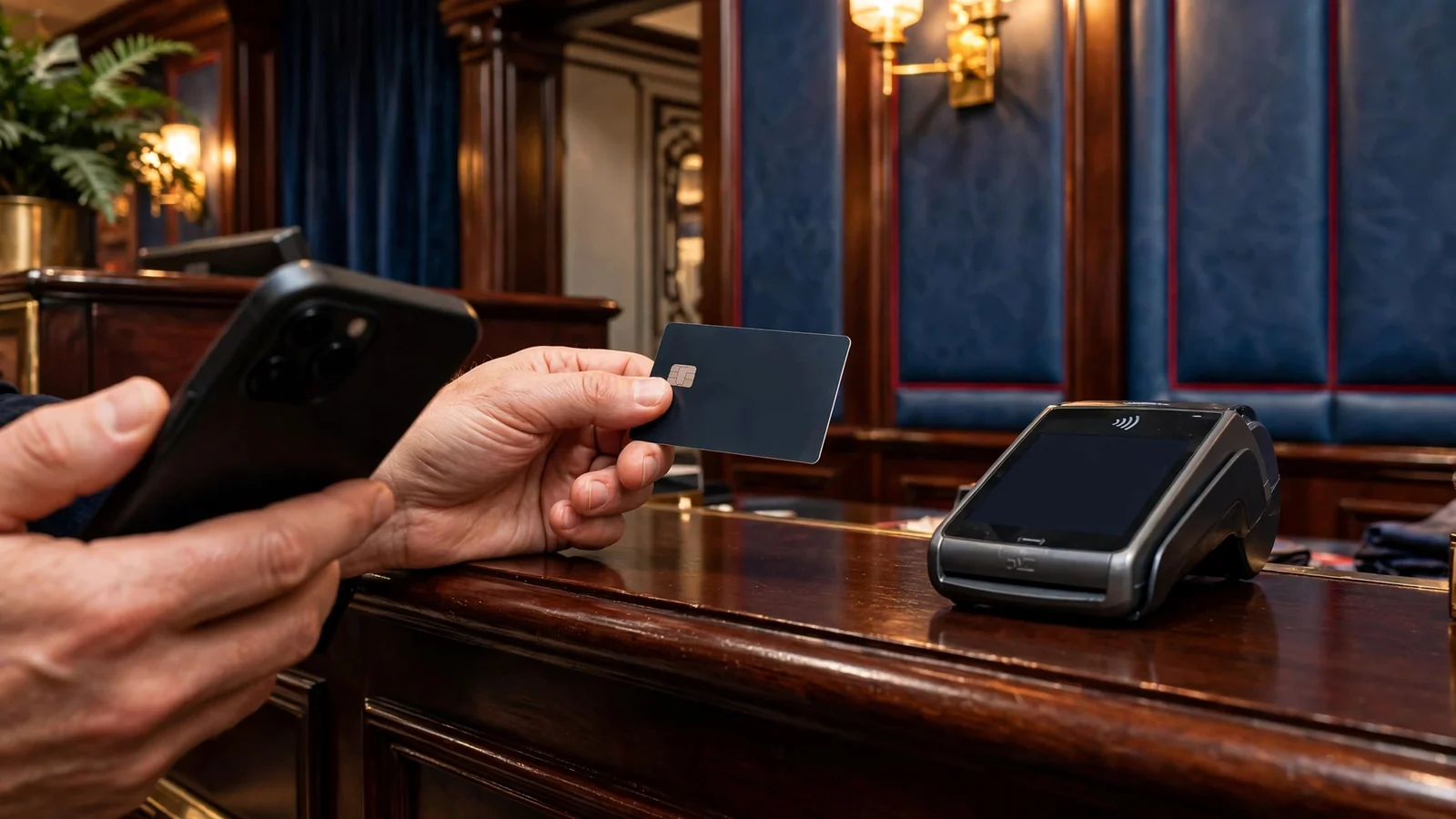
If the casino lists Boku but your payment is declined, the problem may be the network, available credit, the fee, or the SMS confirmation. Check the transaction message and your network account, then contact the casino or provider if the reason is unclear. Don’t switch to another person’s number or try to force a payment through; the payment details should match the account you are using.
Before You Deposit, Check the Cashier and Your Payout Route
Finding a casino that accepts Payforit is only part of the check. Before putting money in, I’d look at what the cashier says about getting money back out. A deposit option and a withdrawal option are not automatically the same thing, so check which payout routes are available to your account rather than assuming you can cash out through the method you used to pay.
A specialist review advises players to confirm whether a chosen deposit method can also be used for withdrawals. Treat that as a prompt to check the operator’s current information, not as a promise that its payment rules will stay fixed. Methods, limits, fees and processing details can change; the live cashier and the operator’s current terms are the useful places to verify them.
There is another easily missed detail: your account may not yet be ready for a withdrawal. Check whether the operator is waiting for identity documents or any other account checks, and whether the payout route is available to you. A specialist review also recommends checking these account-specific points before depositing. I’d rather spend a moment on that than find out about an unfinished check after I’ve already paid in.
Before You Deposit
- Verify the available payout routes for your account
- Check if identity documents or other verifications are pending
- Review the operator’s current minimum withdrawal threshold
- Confirm the account currency matches your payment method
If you’re new to the casino, consider setting a financial limit before your first deposit. Account-level limit controls should remain accessible afterwards, so you can review or adjust your settings. That is a separate check from whether Payforit appears in the cashier.
Read the terms that apply to your account, including the rules for withdrawals and any minimum or maximum limits shown there. A casino may have a minimum withdrawal threshold, and the cashier is the place to confirm what applies; don’t assume a small remaining balance can be paid out. If a withdrawal method requires details that do not match your account information or currency, resolve that before paying in.
The practical test is simple: know which payout route you can use, whether your account needs verification, and what the current terms say. No guessing later.
Phone-Bill Funds Are for Your Casino Balance, Not a Particular Slot
The phrase “phone-bill slots” can make it sound as though you pay for a spin through your mobile account. That is not what Payforit does. It is a way to add money to your casino account; it does not attach a payment to a specific slot or cover an individual game round.
The distinction is easy to miss when you are looking at a mobile casino. You choose a payment method in the cashier, and any accepted Payforit deposit goes into your account balance. Once the balance is there, you choose a game separately. The payment is not made inside the slot, and the slot does not know whether those funds came from Payforit or another deposit route.

So if you want to play slot games using money charged to your phone bill, think of it as funding the account first, then playing from that balance. Payforit charges the amount to a monthly phone bill or deducts it from Pay as you Go credit. It is not a special feature offered by a particular game.
That matters when you are comparing games. A slot’s theme, features or rules do not tell you whether Payforit is accepted by the casino. Nor does finding a game on a mobile site mean you can pay for that game directly by phone. The payment choice belongs to the casino account, not the individual title.
I used to blur those two steps in my head: pick a game, pay for it, start playing. With casino slots, the money sits in the account balance and is then used for play. Less magical, but clearer.
Keep the wording straight: “pay by phone” describes how you fund the casino account, while “phone-bill slots” is just a casual way of describing slots played with that balance. It does not mean a particular slot supports Payforit or has a separate phone-billing button.
Topping Up by Phone Bill: Check the Cap First
If you’re considering a UK casino that accepts payment by phone bill, check its payment terms carefully before you deposit. The available detail here is limited to payout speed, so use it only as one part of your research.
Payout speed: 1-3 business days Jetsetspins lists a payout speed of 1–3 business days; no information is provided here about paying by phone bill.
Payout speed: 1-3 business days x3bet lists a payout speed of 1–3 business days; no information is provided here about paying by phone bill.
Payout speed: 1-3 business days Revery Play lists a payout speed of 1–3 business days; no information is provided here about paying by phone bill.
Payout speed: 1-3 business days Zombillion lists a payout speed of 1–3 business days; no information is provided here about paying by phone bill.
Payout speed: 1-3 business days NightLuck lists a payout speed of 1–3 business days; no information is provided here about paying by phone bill.
Payout speed: 1-3 business days Amunbet lists a payout speed of 1–3 business days; no information is provided here about paying by phone bill.
Payout speed: 1-3 business days WinBeast lists a payout speed of 1–3 business days; no information is provided here about paying by phone bill.
Payout speed: 1-3 business days Chanze lists a payout speed of 1–3 business days; no information is provided here about paying by phone bill.
Payout speed: 1-3 business days EvoSpin lists a payout speed of 1–3 business days; no information is provided here about paying by phone bill.
Payout speed: 1-3 business days NightWin lists a payout speed of 1–3 business days; no information is provided here about paying by phone bill.
A phone-bill top-up adds money to your casino balance through Payforit; it does not increase what you can put through in a single transaction. A specialist payment guide gives the Payforit ceiling as £30 per transaction, set by the Phone-paid Services Authority. Treat that as a hard cap, not a target or a puzzle to solve.
That distinction matters if you are trying to add more than the cap. You cannot put a larger amount through one Payforit transaction. Nor would I treat several smaller top-ups as a way around the limit: the per-transaction ceiling is not permission to bypass payment controls. The cashier may set its own available options, so check what it actually allows before you start.
I used to focus on whether a payment button was there and miss what the limit meant in practice. “Top up” sounds open-ended; it isn’t. If the amount you want to add is above the permitted transaction value, stop and consider whether another payment route shown in the live cashier fits your needs. Don’t assume another method is available, or that it has the same terms.
Payforit is for adding funds, and the £30 figure applies to each transaction. Keep that boundary clear when deciding whether this route suits the amount you intend to deposit. No clever workaround.
Which UK casinos still accept Payforit in 2026?
Payforit is listed at the cashiers of Kwiff, NetBet, JackpotJoy and Virgin Games. Check the cashier in your account to confirm it is currently available to you.
Can I use Boku on a pay-as-you-go phone?
Yes, if your available phone credit covers the deposit and any network fee, and you confirm the transaction by SMS.
What is the current minimum deposit?
Payforit deposits typically start at £3–£5. The minimum offered can vary by casino, so check the live cashier.
Which payment types are listed?
Listed options include Visa, Mastercard, Skrill, Neteller, PaysafeCard and several major cryptocurrencies.
Can I withdraw casino winnings through Boku?
No, Boku is a deposit method; casino winnings cannot be withdrawn through it.
What is the maximum I can deposit with Boku at a UK casino?
Boku deposits are capped at £30 per transaction.
Written by the editors at Candyland Casino 4.